
T‑WORK Workflow
Digital approvals
Digitize purchase, payment, business travel, asset allocation, leave and overtime requests. Route them by department, management level, threshold or business condition.
View detailsCentralized operations platform
Employees open T‑WORK to see pending work, complete tasks and reach connected systems according to their permissions. Businesses can centralize the work experience while continuing to use their existing ERP, accounting, attendance and factory systems.
Your current operations

T‑WORK Workflow
Digitize purchase, payment, business travel, asset allocation, leave and overtime requests. Route them by department, management level, threshold or business condition.
View details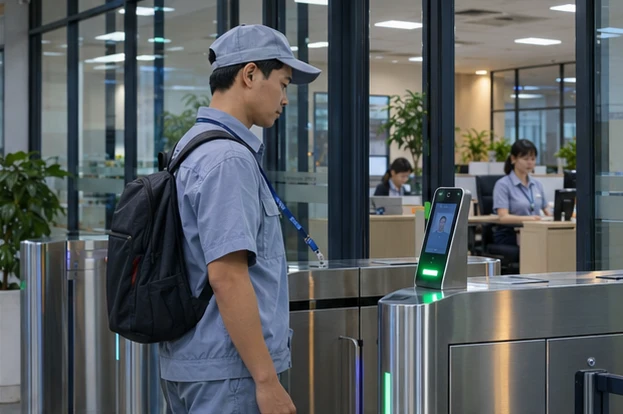
T‑WORK HRM
Connect time clocks to employee records, shifts and approvals. HR reconciles exceptions and closes the period before calculating payroll or transferring inputs to an existing payroll system.
View details
T‑WORK WMS
Use orders or forecasts to determine material demand. Item, lot or package QR codes link receiving, production issue, dispatch and traceability in one transaction history.
View details
T‑WORK ERP
Connect orders, forecasts and bills of materials with machine, line and shift capacity. Start with existing Excel data and expand along an ERP roadmap.
View details
IoT · OEE · Andon
Collect signals from PLCs, sensors or counters to compare output against plan, detect downtime and track OEE by machine, line and shift.
View details
T‑WORK AI
T‑WORK connects AI to documents, procedures and approved ERP or WMS data. Staff can look up information, summarize reports and draft proposals with a designated human review step.
View detailsExample scenario
An employee opens T‑WORK, enters a request and attaches a quote. The manager approves it within their limit. At the configured step, the details can go to ERP or accounting while the employee tracks the request in T‑WORK. Data exchange and update rights are agreed before implementation.
For each data type, agree on where records are created and updated, how codes are mapped, synchronization frequency and failure handling. Employee IDs may come from HRM while material codes come from ERP.
Choose a process that spans several tools. Set roles, test the connection on sample data and check successful processing, missing permissions and synchronization failures before expanding.
Process diagram
Role-based tasks, approvals and apps
Connect and synchronize within agreed scope
Item codes, orders and documents within scope
Employee IDs, shifts and clock events
Material lots, warehouse transactions and production progress
Records, approvals, alerts and app links are available by role. Single sign-on can be integrated where the source system and deployment support it.
TVL assesses interfaces, synchronization requirements and ownership. Integration uses APIs, file exchange or another method supported by the source system.
For example, time clock events feed HRM, overtime requests go through approval and verified records are passed to payroll.